
3
Product specifi cations
Model Iqua 603 SUN
Size 50 (L) x 25 (W) x 12.5 (H) mm
Weight 14g
Talk time Up to 12hours depending on ambient light
Standby time Infi nite depending on ambient light
Charging time Within 2h
Battery type Li-Polymer battery
Solar cell type a-Si
Bluetooth Standard Bluetooth Specifi cation 2.0 /Class II
Supported Bluetooth profi les Handsfree 1.5 and Headset 1.1
Connection Point-to-point
Paired devices Up to 8, one at a time
Operating Distance 10 meters
Operating temperature range 0°C to 45°C
Storage temperature range -20°C to 55°C
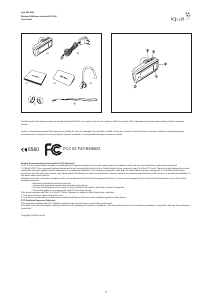
Overview of the product
1. Multifunction button Power on/off, answer/end call
2. Volume+ button Increase the volume
3. Volume- button Decrease the volume
4. Charging connector Mini-USB charging connector
5. Indicator light Status indication with blue and red light
Sales package contents
a. Headset
b. Wall Charger
c. User Guide
d. Quick Guide
e. Earhook
f. 2 Earplugs(one is on headset)
g. Carrying Strap
EN
Getting started
Charging the battery
Before using Iqua 603 SUN for the fi rst time, you must charge it for approximately 2
hours.
When the battery is fully charged, it provides up to 12 hours of talk time and an unlimited
standby time depending on the ambient light. Always use the charger provided in the
sales package.
1. Connect the charger cable to Iqua 603 SUN.
2. Plug the charger into a wall socket. The red light will turn on.
3. When the battery is fully charged, the red light will turn off
Switching on and off
Switching on Iqua 603 SUN
When the headset is powered off, press and hold the Multifunction -button until the blue
light fl ashes.
Switching off Iqua 603 SUN
When the headset is powered on, press and hold the Multifunction -button until the red
light fl ashes.
Pairing Iqua 603 SUN to your mobile phone
Pairing is the process of linking Iqua 603 SUN with your compatible Bluetooth mobile
phone. After this process is completed, you can use Iqua 603 SUN with the paired mobile
phone. If you want to use Iqua 603 SUN with another mobile phone, you must repeat the
pairing
process again. Even though Iqua 603 SUN can be paired with up to 8 compatible phones
it can only be connected to one phone at a time. Once it is paired with 8 phones, the 9th
paired device will replace the 1st paired device.
For latest compatibility information please visit www.iqua.com
Pairing process
1. Power on the headset, press and hold both Volume + and Volume - buttons until the
blue and red lights start fl ashing alternately.
2. Release the button. Iqua 603 SUN is now in pairing mode.
3. Check your phone user guide for details on how to search and pair.
4. When phone has found the headset, it will show Iqua 603 SUN on its screen.
5. In order to pair with the phone, enter the PIN code 0000.
6. After pairing, Iqua 603 SUN automatically connects with your mobile phone. Once
pairing and connection are succeeded, blue light fl ashes twice every 8 seconds. The
headset is now ready to make and receive calls.
Disconnecting Iqua 603 SUN and your phone
Easiest way to disconnect Iqua 603 SUN and your phone is simply switch off the Iqua
603 SUN.
Reconnecting the paired Iqua 603 SUN to a compatible phone
To reconnect Iqua 603 SUN to the last phone used, simply switch on the headset and it
will automatically connect to the phone.
There are occasions when headset is temporarily out of Bluetooth operating range (up
to10 meters, e.g. user wearing the headset walks away from the phone), the headset
will be disconnected from the phone and user will hear a warning tone from the headset.
Headset is now in “powered on but no Bluetooth connection” –mode (blue light fl ashes
once every 5 seconds). If the headset is back in range within 10 minutes, Iqua 603 SUN
auto-reconnects with the last phone. If the headset is out of range for over 10 minutes,
long press both Multifunction and Volume + buttons or both Multifunction and Volume –
buttons to reactivate the connection.
Call Functions
Answer a call
Press the Multifunction -button shortly to answer an incoming call.
End a call
To end an active call, press shortly the Multifunction -button. You will hear a tone when
the call is ended.
Reject a call
When you receive an incoming call that you do not want to answer, double press the
Multifunction-button to reject.
Redial the last dialed number
Press and hold the Volume+ button until you hear a tone.*With some phone models,
press the Volume + button again to dial the number displayed on the phone.
Voice dialing (when supported by the phone)
Press and hold the Volume – button until you hear a tone (Voice Dial feature activated on
the phone), speak the voice tag. Refer to the user guide of your phone for details. Some
phone models do not support voice dialing.
Adjusting volume
Press the Volume + button to increase the volume. Press Volume – button to decrease
volume.
Mute & un-mute
During an on-going call, press and hold both Multifunction and Volume + buttons until
you hear a tone.
Switch between phone & headset
To transfer call from Iqua 603 SUN to your phone or vice versa, press and hold both
Multifunction and Volume – buttons. You will hear a tone when the transfer is successful.
Erase paired devices
Iqua 603 SUN can be paired to up to 8 devices. Once it is already paired to 8 devices,
the 9th paired device will replace the 1st paired device. You can also erase the paired
device list of the headset in order to pair it with new devices. While the headset is
powered on but not connected with any Bluetooth device, press and hold the Volume +
button for 5 seconds until you hear a tone.
Reset hardware
In case the headset is jammed you may do hardware reset and restart the headset. Plug
charger to headset and at the same time press and hold the Volume + button. Release
Volume + button, the headset will be powered off.
Light indication summary
The Iqua 603 SUN’s LED lights can be blue or red and are usually accompanied by a
sound signal.
Power on / off Blue LED fl ashes once/Red LED fl ashes once
Powered on but no Bluetooth connection Blue LED fl ashes once every 5 seconds
Connection active Blue LED fl ashes twice every 8 seconds
Pairing mode Blue and red LED fl ashes alternately
Battery low Battery low tone is played
Battery charging Red LED is on continuously
Power management
This product is powered by a built-in rechargeable battery and a solar panel which can
not be changed. Do not attempt to replace either of those objects. Rechargeable battery
can be charged and discharged hundreds of times, but it will eventually wear out. After
a period of time that will vary depending on the use and usage conditions you may fi nd
that the built-in battery will power your product for only a couple of hours requiring you
to charge more frequently. Do charge your device only with the charger provided in the
sales package. Unplug the charger when not in use. Do not leave the device connected
to the charger for longer period than needed, since overcharging may shorten the battery
lifetime. If left unused, a fully charged battery will discharge itself over time. Temperature
extremes may affect the ability of the battery to charge. Always try to keep the device
between 15 °C and 25 °C (59 °F and 77 °F). Leaving the device in hot or cold places
such as in closed car in summer or winter conditions will reduce the capacity and lifetime
of the battery. A device with hot or cold battery may not work for a while even when the
battery is fully charged. Battery performance is particularly limited in temperatures well
below freezing. Do not charge in humid environment.
Care and Maintenance
– Do not expose the device to liquid, moisture or humidity as it is not waterproof.
– Do not use or store the device in dusty, dirty areas. Its moving parts and
electronic components can be damaged.
– Do not store the device in hot areas. High temperatures can shorten the life
of electronic devices, damage batteries, and warp or melt certain plastics.
– Do not store the device in cold areas. When the device returns to its normal
temperature, moisture can form inside the device and damage electronic
circuit boards.
– Do not drop, knock, or shake the device. Rough handling can break internal
circuit boards and fi ne mechanics.
– Do not use harsh chemicals, cleaning solvents, or strong detergents to
clean the device.
– Use a soft, clean, dry cloth to clean any lenses.
– Do not expose your device to contact with sharp objects as this will cause
scratches and damage.
– Do not stick anything inside the device as this may damage internal
components.
– Do not dismantle the device or the charger as they do not contain
serviceable parts and taking apart the device may expose you to dangerous
voltages or other hazards
– Act according to your local rules and do not dispose of this product as part
of your normal household waste. Follow the applicable separate collection
system for electrical and electronic products.
How to get service for my IQUA Product?
If you believe that you are entitled to a repair or replacement of your IQUA product
based on your statutory rights under the applicable national laws relating to the sale of
consumer products or warranty given by the retailer who has sold the IQUA Product to
you, please contact your retailer.
DECLARATION OF CONFORMITY
We, Iqua Ltd., declare under our sole responsibility, that the product, BHS-702,
conforms with the provisions of the following Council Directive: 1999/5/EC. A copy of the
Declaration of Conformity can be found at http://www.iqua.com/declaration_of_conformity
Copyright © 2008 Iqua Ltd
Refer to Fig 1 and Fig 2



Bergabunglah dalam percakapan tentang produk ini
Di sini Anda dapat membagikan pendapat Anda tentang Iqua BHS-603 SUN Headset. Jika Anda memiliki pertanyaan, bacalah panduan dengan cermat terlebih dahulu. Meminta panduan dapat dilakukan dengan menggunakan formulir kontak kami.